
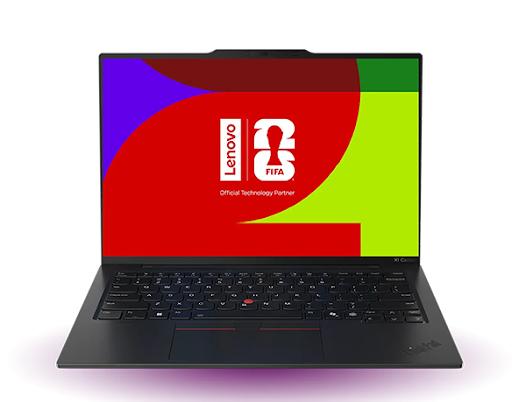
7 AI PC Features Designed for Seamless Device Connectivity
Modern work needs fast and smooth connections between devices. People use phones, tablets, and laptops at the same time. They move files, join calls, and switch screens all day.
A recent report shows that over 65% of users connect more than three devices daily for work and personal tasks.
This trend keeps growing as hybrid work becomes normal. Because of this change, the role of a smart AI computer becomes very important. It helps devices talk to each other without delay. It also reduces manual work and saves time. An AI PC can learn your usage and improve connections in real time. This makes your workflow simple and stress-free.
Now, let us explore the key features that make this possible.
1. Intelligent Device Sync That Works Instantly
Modern users need fast and simple ways to connect multiple devices. A smart AI computer quickly connects devices by using AI-based sync engines, which identify nearby devices and connect them without the need for complicated steps. Time is saved, and there is no need to pair again.
This makes it possible for the user to move files between devices in a single step. Smart TVs, tablets, and phones can all be used for this. It makes it possible to transfer files using low-latency protocols.
How AI Improves Sync Speed
AI tracks how often you connect devices. It learns patterns and prepares connections in advance. This reduces waiting time and improves performance.
- Faster device pairing
- Reduced connection errors
- Better data transfer speed
2. Cross-Platform Connectivity Without Barriers
Many users struggle when devices run on different systems. A smart AI PC removes this issue by supporting cross-platform integration. It allows smooth communication between Windows, Android, and other systems.
This feature uses unified communication layers. It ensures that apps and files work the same across devices. Users do not need extra tools or a complex setup.
Why Cross-Platform Support Matters
People use multiple brands and systems. Without proper support, it creates delays and confusion. AI solves this by standardizing connections.
- Easy sharing across systems
- No need for third-party apps
- Consistent performance
3. Smart Network Switching for Stable Connections
Network issues can break the workflow. An AI computer solves this with smart network switching. It automatically selects the best available network.
The system checks WiFi strength, mobile data, and even hotspot options. It switches in real time without interrupting tasks.
With this feature, an AI PC keeps your work running without breaks. This feature ensures stable connectivity during calls, downloads, and streaming.
- Smooth video meetings
- Continuous file transfers
- Better online performance
4. Unified Device Control from One Screen
Managing multiple devices can feel confusing. A smart AI computer brings all controls to one screen. They can access all the devices from a single place. They can open apps, send messages, and change settings without having to touch multiple devices. This increases their productivity.
Centralized Control Makes Work Easy
AI organizes all devices in one place. It shows their status and allows quick actions.
- Control multiple devices easily
- Save time on switching screens
- Improve workflow speed
This feature makes an AI PC very user-friendly.
5. AI-Powered File Sharing That Feels Instant
File sharing is a daily task. An AI computer improves this with AI-powered sharing tools. It predicts which files you may need to send. The system suggests quick sharing options. It also compresses files to reduce transfer time. This ensures fast and smooth sharing.
- Smart file suggestions
- Faster transfer speeds
- Secure data movement
This feature helps users work faster without manual steps.
6. Seamless Collaboration Mode for Real-Time Work
Collaboration is key in modern work. A smart AI computer includes a smart collaboration mode. It connects devices during meetings and teamwork sessions. This mode adjusts camera audio and screen sharing automatically.
AI manages technical settings so users can focus on work. It improves video quality and reduces noise. This feature makes an AI PC perfect for remote teams.
- Better video clarity
- Real-time file sync
- Smooth screen sharing
7. Secure Device Connectivity with AI Protection
Security is important when devices connect. A smart AI computer uses AI-based security systems. It checks every connection for risks. The system detects unusual activity and blocks threats. It also encrypts data during transfer. This keeps user data safe.
- Strong encryption
- Real-time threat detection
- Safe device pairing
This feature ensures that an AI PC provides both speed and safety.
Conclusion
As technology advances, so do the needs of the user. The user requires a more efficient system that can meet these needs. A smart AI computer provides a range of features that make connecting two devices a breeze. From smart sync to secure connections, each feature plays a significant role in the system.
The AI PC learns from the user and adapts accordingly. This provides a smooth experience for the user on all devices. As more people use multiple devices in their daily lives, these features will become even more important.
This allows the user to transfer files from one device to another using a single step. This works for phones, tablets, and even smart TVs. The system allows for smooth transfer using low-latency protocols.